
One place for the work that keeps your home running.
Residents, care plans, medication, tasks, shifts, incidents, training and the records behind them. Granily keeps the daily work together, so staff spend less time moving between paper, spreadsheets and separate systems.
Start the shift knowing what needs doing.
See what happened before your shift, what is still open and what needs attention, with the resident information behind it close by.
Handover and shift notes
See notes from the previous shift together with unresolved tasks and open alerts, so important information does not disappear between teams.
Resident records
Keep resident details, medical notes, risks, allergies, diet information, contacts, documents and other care information together.
Care notes
Record daily care against the resident and keep the author, time, attachments and history with the record.
Medication and eMAR
Set medication plans and schedules, record administration and keep refusals, holds, delays and corrections with the resident record. Due medication also feeds into tasks and alerts.
Tasks and reminders
Assign care and operational tasks, see what is due and keep unresolved work visible across shifts.
Resident activity history
See care notes, tasks, alerts, incidents, medication, care plan changes and other resident activity together in one timeline.
Clear guidance for staff, and a record of who decided it.
A resident has a care plan for every area of care that needs one. Staff follow the current version, and every change is signed off by a named person.
A plan for each area of care
Write a plan for mobility and falls, nutrition, skin integrity, cognition or any of the other areas where a resident needs planned support. Each plan says how the resident is at the moment, what matters to them, their goals and what staff should do.
The important instructions first
Instructions are marked as support, caution or escalation, and kept in the order they were written. The ones marked as key care information show on the resident's care plans tab, so staff see them without opening the plan.
Every change signed off
A change in care becomes a new version. The person signing it off records why it changed, who took part, including the resident and their family, and when it should be reviewed next. A typo fix is published as a correction, so it never passes for a change in care.
Reviews you can see coming
Seniors and managers see which plans are overdue, due today or due soon, across the whole home. Staff can ask for a plan to be looked at, and “it still fits, no change” is recorded as a review too.
History and printed copies
See every version of a plan, what changed from the one before and who signed it off. Print the current plan for a handover folder or an inspection. The copy shows when it was printed and tells the reader to check Granily for the latest version.
After a transfer or a hospital stay
When a resident moves in from another home or comes back from hospital, their plans are flagged for review. Staff can see that until someone has checked the plans against how the resident is now.
Plan the week. Cover the gaps.
Build the rota, see where cover is needed and keep staff availability in the same place.
Rota and shifts
Build the rota, assign staff and see coverage across the week. Shift templates can also generate repeating shifts across a date range.
Cover requests
When cover is needed, send a request to eligible staff and keep the request, fill and cancellation in one place.
Leave and availability
Staff can request leave while managers approve it, track balances and see approved leave when planning shifts.
Staff records
Keep staff profiles, facility access and operational information together and prevent inactive staff from being assigned to new shifts.
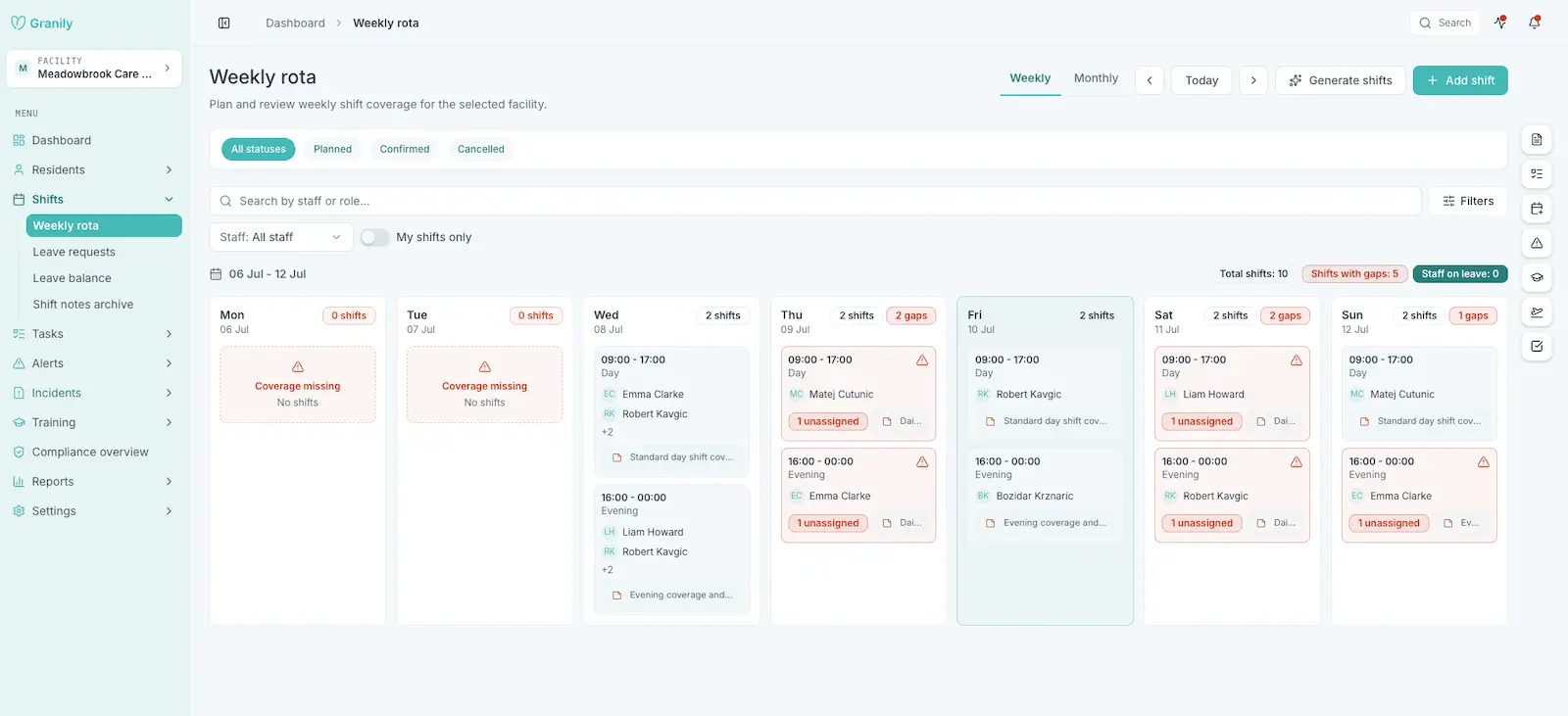
The week at a glance, with the shifts that still need cover.
Know when something needs attention.
Granily checks defined rules, keeps open work visible and lets the right people know when something needs reviewing.
Rule-based alerts
Granily checks for missing care notes, repeated incidents, overdue high-priority tasks and medication issues. Managers can configure the thresholds and staff can acknowledge or resolve an alert.
Incidents
Report incidents from web or mobile, add supporting information and attachments, then filter, review and export the records later.
Notifications
Staff receive in-app notifications for work that needs attention, with push notifications used for higher-priority events. Task assignments, incidents, shift changes, cover requests, leave decisions, care plan changes and training reminders are already supported.
Ready for inspection any day.
Keep the records behind care, staffing and training available without pulling them together at the last minute.
Training and compliance
Keep staff training records, expiry dates and supporting evidence together. Expired and expiring training is visible in the facility overview.
Reports and exports
Run incident, care documentation, training and shift coverage reports, then export the information to CSV when you need it.
Audit trail
See who changed important resident, care plan, care, incident, staffing and compliance records, what changed and when.
Activity feed
Follow recent activity across the home without opening each area one by one.
One system, set up for your home.
Granily can follow the way your organisation is structured without giving everyone access to everything.
Roles and permissions
Decide what each role can see and do. Granily supports configurable roles at organisation and facility level rather than forcing every home into the same permission setup.
Facilities and access
Assign staff to the facilities they work in and keep residents, shifts and operational records inside the right home.
Run several homes
Manage more than one care home under the same organisation while keeping each facility's operational data and access separated.
The manager view and the shift view do different jobs.
Granily uses the same information across web and mobile, but each side is built around the work being done there.
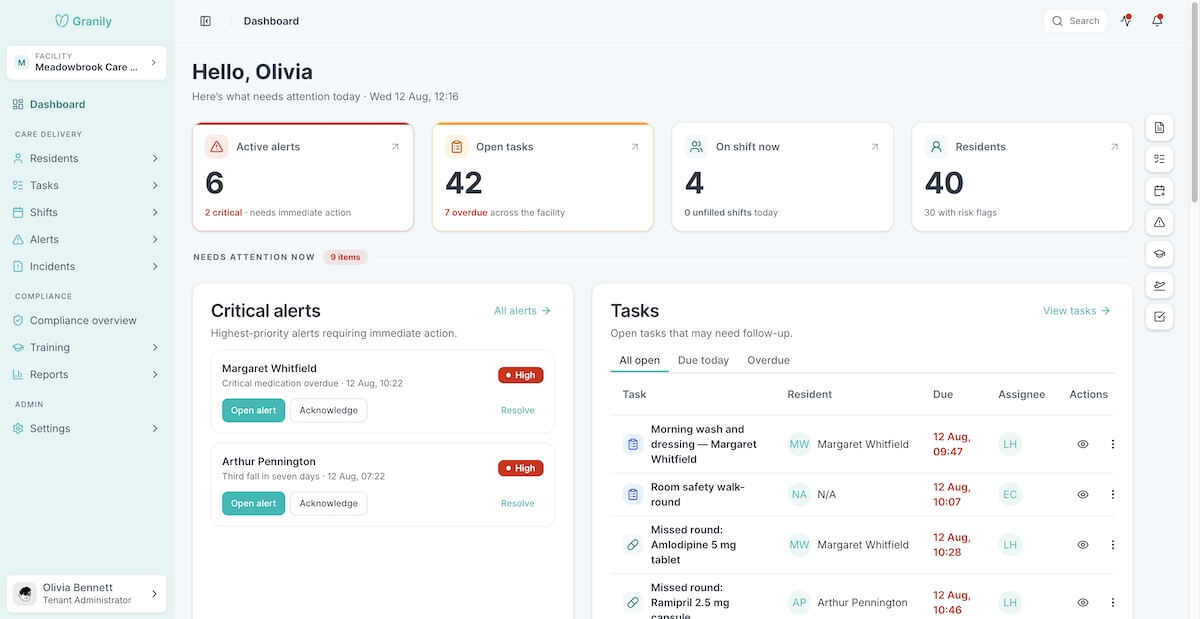
For managers and administration
Plan the rota, manage residents and staff, write and review care plans, create care notes, review alerts and incidents, manage training, run reports and work with audit records from the web application.
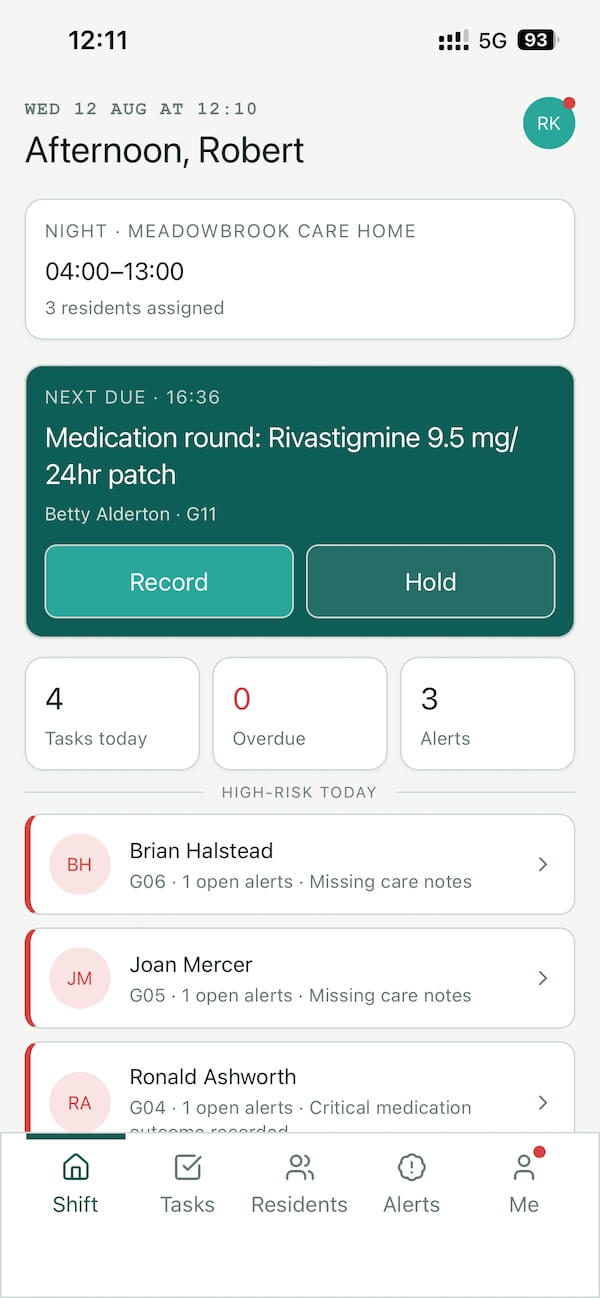
For caregivers on shift
View residents, their care plans and handover information, work through tasks and medication, report incidents, respond to alerts, search the system and receive notifications from the mobile app.
Record it once. Find it where you need it.
Granily uses the same resident, care plan, task, medication, incident, staffing and compliance records across the system. Search across the information you have access to, and changes made in one place are reflected across the open web and mobile apps.
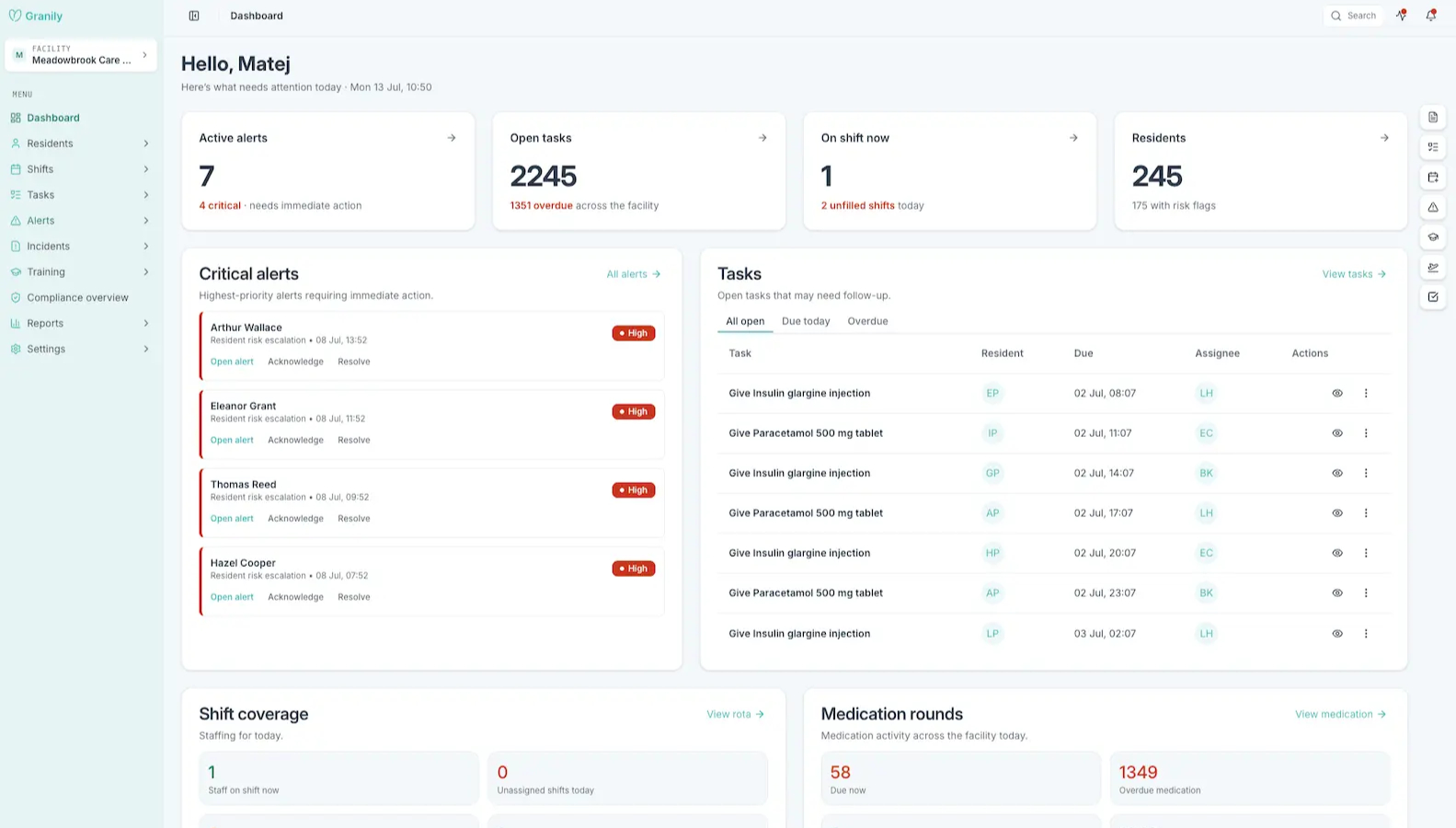
The manager view. Everything about your home in one place.
Not sure whether Granily covers what your home needs?
Tell us how you handle it today. We will show you where Granily fits and where it does not.
Book a callWhat Granily does not do yet.
We would rather be clear about what is available today than present planned features as finished ones.
Family access
There is no family portal, family messaging or resident update area for relatives yet.
Predictive and AI-assisted features
Granily currently uses defined rule-based alerts. Predictive risk detection, AI summaries and AI chat are planned separately and are not part of the current product.
Admissions and assessments
There is no full resident admission or assessment workflow yet.
Appointments
GP visits, medical appointments and external visit scheduling are not currently managed in Granily.
Finance and external integrations
Granily does not currently provide billing or invoicing, or integrations with payroll, accounting, regulatory or external care systems.
See how this would work in your home.
Tell us how your home works today. We will show you how Granily could fit.
- How your home runs today and where the time goes.
- Where Granily would fit, shown against your actual way of working.
- What is on the roadmap and how your needs could shape it.
- Your questions, answered directly by the person who builds the product.